
InsurePay – Pay-as-you-go
Redesigning onboarding and policy setup to turn incomplete accounts into active PayGo customers
Overview
InsurePay Pay-as-you-go is a white-labeled, carrier-branded platform that uses submitted payroll to automatically calculate and bill workers’ compensation premiums each month, helping businesses pay based on actual wages instead of large upfront estimates and year-end audit surprises. I redesigned the onboarding experience and policyholder portal end to end, from first registration through payroll automation, self-reporting, billing, and ongoing policy management.
My role included product discovery, requirements writing, user-flow mapping, UX strategy, interface design, responsive behavior, prototyping, and developer handoff. The work required translating the operational realities of workers’ compensation and payroll integrations into a clear experience for policyholders—whether their payroll provider supported a direct connection or required a different reporting path.
The Challenge
Previous to my work on InsurePay, policyholders would reach the portal with several unfinished account setup requirements: connecting payroll, choosing a reporting frequency, verifying key individuals, and adding a payment method. They often could not tell what was blocking activation or where to begin. The portal was also not mobile-friendly, making it difficult for busy business owners to complete setup or manage payroll away from a desktop. The result was a growing number of “hanging accounts”—customers who had registered but never completed PayGo setup—along with a high volume of avoidable support requests.
Replacing Scattered Tasks With a Guided Setup Path
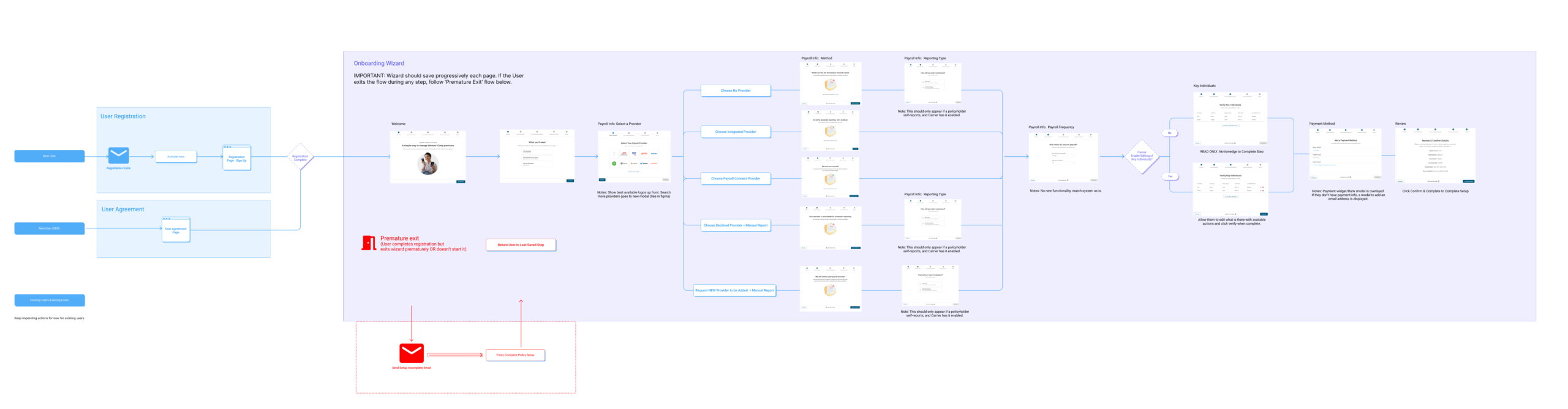
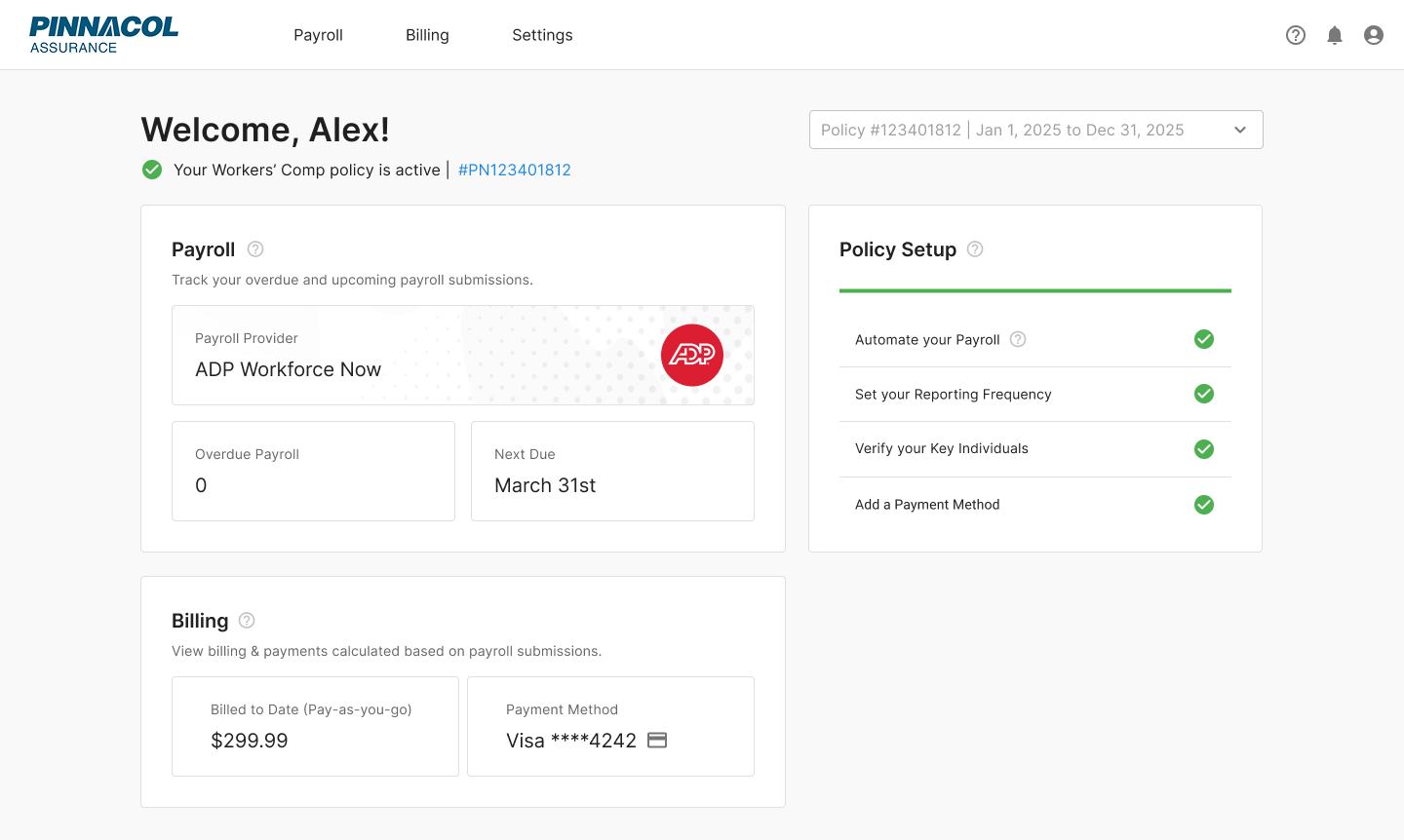
I redesigned onboarding as a guided path that makes every account setup requirement visible and moves policyholders through them in a clear, intentional sequence. The progress-based Policy Setup checklist shows what is complete, what remains, and the next action required—preventing customers from entering the portal with a partially configured account.
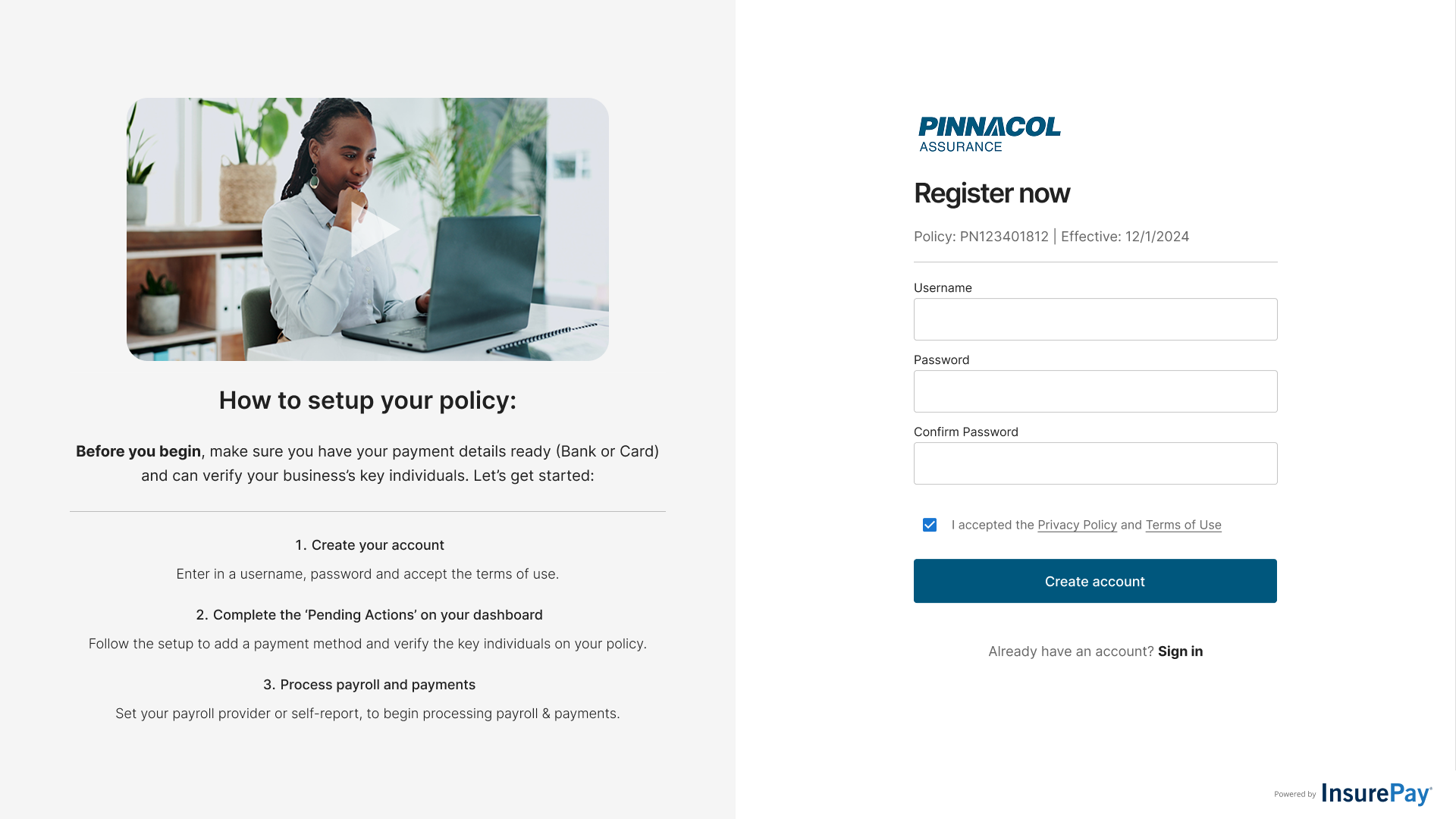
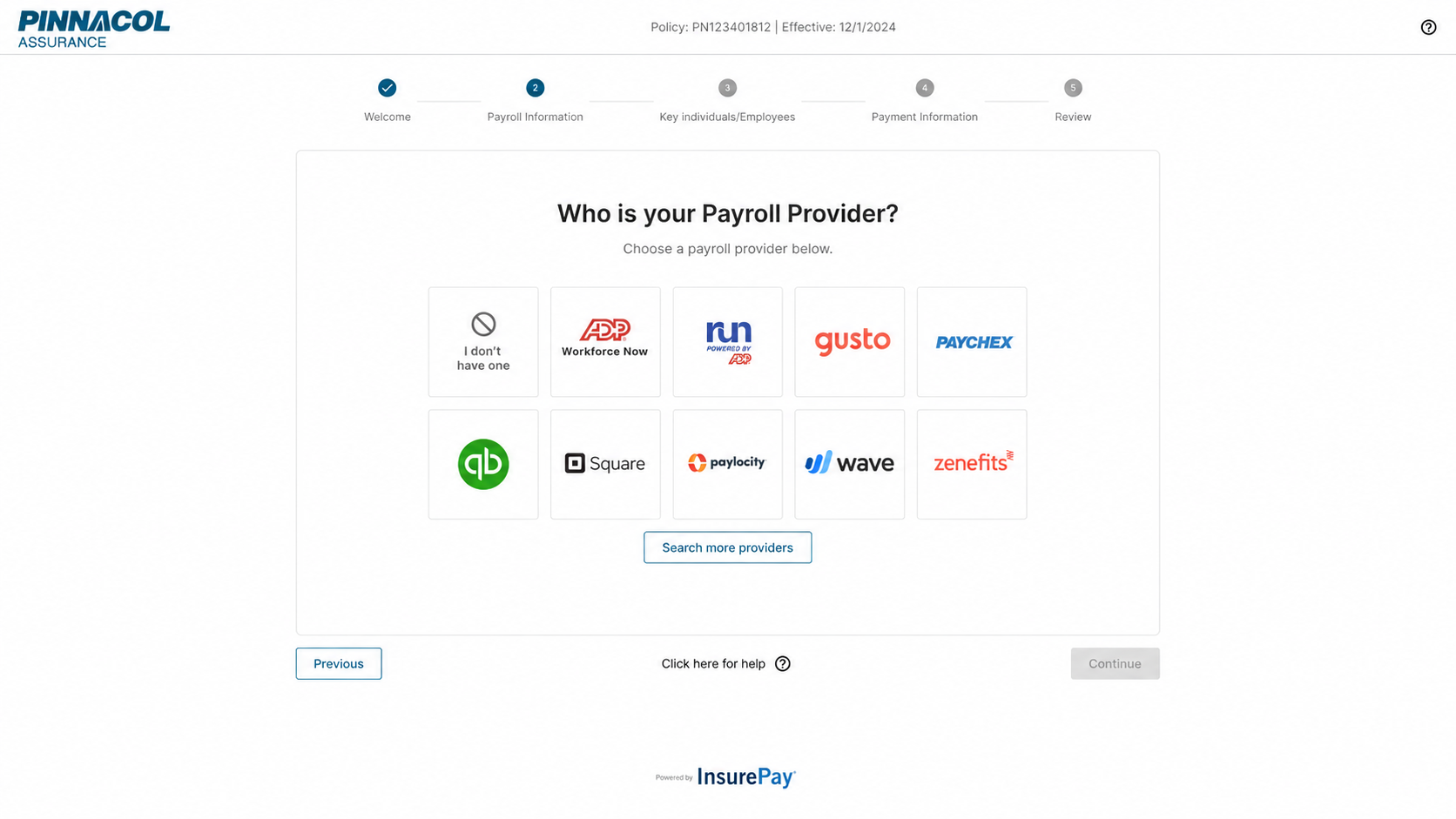
The experience sets expectations from registration onward, explaining what customers will need and why each step matters. The wizard then guides them through payment, key-individual verification, payroll provider selection, and reporting frequency. Whenever available, it steers customers toward automated payroll reporting so the account becomes truly set-it-and-forget-it rather than another recurring administrative task.
Organizing the Portal Around the Policy
The portal was completely redesigned around the information policyholders need most: policy status, payroll provider, the next reporting deadline, setup progress, recent activity, and billing. A simpler navigation model separates Payroll, Billing, and Settings while keeping the active policy and the next required action prominent.
The responsive system was designed to work across desktop and mobile, making it easier for business owners to check status, finish setup, and report payroll wherever they are. The interface also supports carrier branding without sacrificing consistency or usability.
Keeping Payroll Reporting on Track
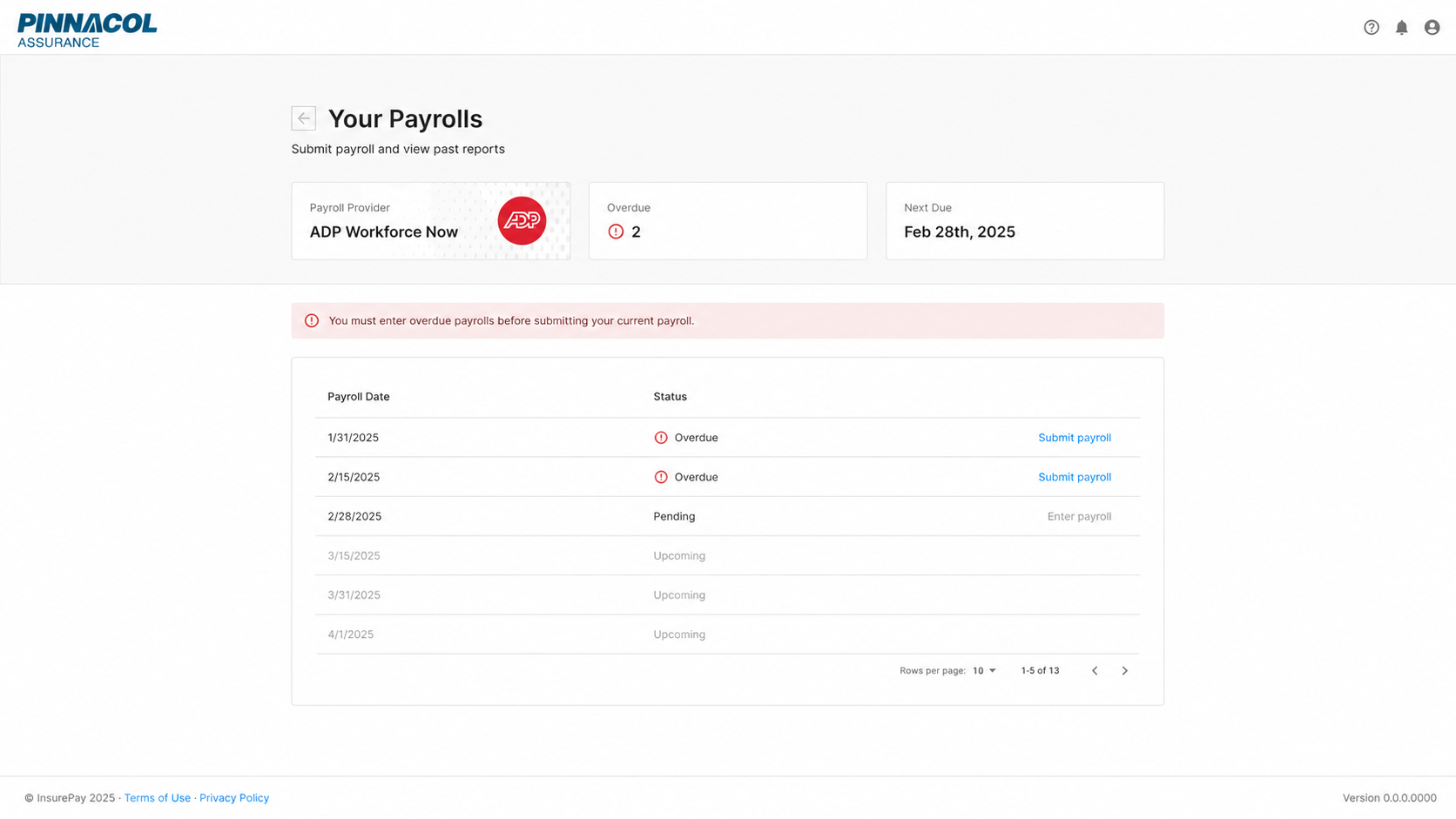
The Payrolls experience gives policyholders a clear record of every reporting period and makes overdue payroll impossible to miss. If an automated payroll-provider connection breaks or a report fails, the screen shows what needs attention and gives the policyholder a direct path to reconnect the provider or enter payroll manually. This fallback keeps monthly billing moving without forcing customers to wait for support or lose visibility into what is owed.
Outcome
The redesigned onboarding and portal removed the ambiguity that prevented customers from completing PayGo automation. Based on post-launch support patterns and team observations—not a formal analytics study—the work was estimated to reduce setup-related support requests by 40–50% and improve completed PayGo activations by 25–35%.
The mobile-friendly portal was also estimated to increase ongoing customer engagement by approximately 30%, making policy status, payroll activity, billing, and reporting more accessible. Beyond solving the immediate activation problem, the work established a scalable white-label foundation that could support different carriers, payroll providers, policy states, and reporting methods without fragmenting the customer experience.
Date
September 4, 2026